How To Check Battery Health On iPhone And Android
Your phone dies by four in the afternoon. It shuts down at eighteen percent. Charging takes twice as long as it used to.
Before you buy anything, look at the number your phone is already keeping. Knowing how to check battery health takes two minutes and tells you whether a 2,000 rupee cell fixes the problem or the battery was never the issue.
The Essentials
• iPhone shows battery health and cycle count in Settings
• Most Android brands hide it, but every one of them records it
• Below eighty percent capacity, a replacement is worth doing
• Cycle count tells you more about age than the percentage does
• Sudden shutdowns matter more than any number on screen
How Do You Check Battery Health On Apple Phones?
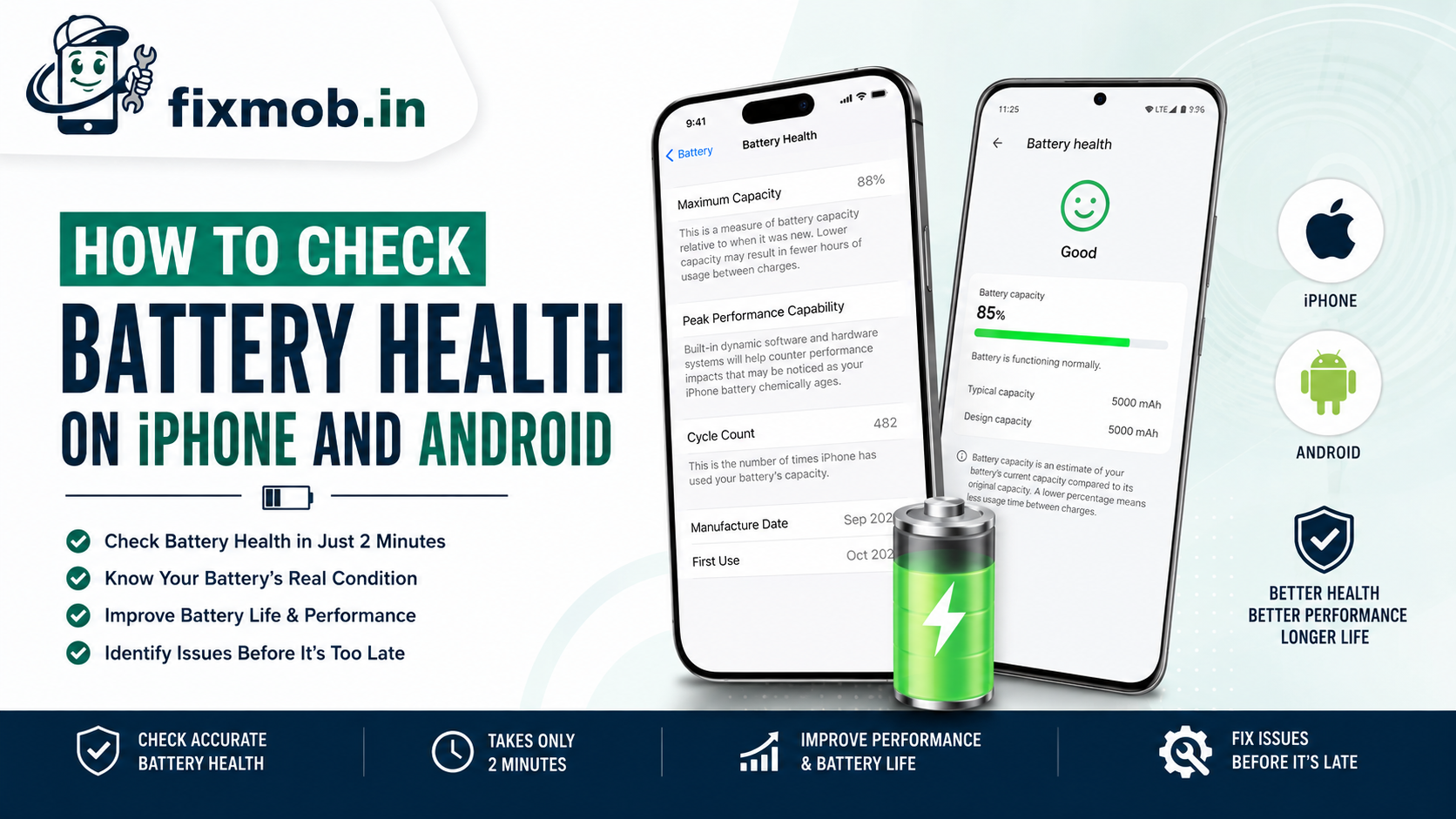
On iPhone, how to check battery health is a three-tap job: open Settings, tap Battery, then tap Battery Health and Charging. Maximum Capacity is the figure you want, shown as a percentage of the battery’s original capacity when new. Recent iOS versions also list cycle count, manufacture date, and first use.
Apple treats eighty percent as the line. Batteries in iPhone 14 and earlier are designed to retain 80 percent of original capacity at 500 complete charge cycles under ideal conditions, while iPhone 15 models are rated to hold that at 1000 cycles.
If iOS shows the message about significantly degraded battery health, the phone has already been derating performance to avoid shutdowns.
How Do You Check Battery Health On An Android Phone?
Android has no single universal screen, so the path depends on the brand. Knowing how to check battery health on Android usually means finding the maker’s own diagnostic menu, which every major brand ships but few advertise.
|
Brand |
Where to look |
|
Samsung |
Settings, Battery and Device Care, Diagnostics, Battery status |
|
Google Pixel |
Settings, Battery, Battery Health (Android 15 and later) |
|
Xiaomi and Redmi |
Security app, Battery, then the battery health entry |
|
OnePlus |
Settings, Battery, Battery Health |
|
Realme and Oppo |
Settings, Battery, Battery Health |
|
Vivo and iQOO |
i Manager, Battery, Battery Health |
|
Any brand |
Dial the diagnostic code, or read the Play Store battery apps below |
Third-party apps such as AccuBattery estimate wear by measuring charge over several cycles. They are useful for trends and unreliable for a single reading, so give one a week before you trust its figure.
Ignore anything promising an instant health score the moment you install it. No app can read the battery controller directly on stock Android, so a number that appears within seconds is a guess based on your charge level.
There is a second route worth knowing. Samsung, Xiaomi, and Realme all ship a hardware test suite reachable from their support apps, and the battery section of that test reports capacity from the controller rather than estimating it.
What Battery Health Percentage Is Actually Bad?
Eighty percent is the practical threshold, and it is the number to look for once you know how to check battery health. Above it, the battery is doing its job. Below it you lose roughly a fifth of your runtime and the phone shuts down early under load.
Anything under seventy percent is a battery living on borrowed time.
|
Battery health percentage |
What it means |
Action |
|
95 to 100 |
Effectively new |
Nothing |
|
85 to 94 |
Normal wear for one to two years |
Nothing |
|
80 to 84 |
Noticeably shorter days |
Plan a replacement |
|
70 to 79 |
Sudden shutdowns likely |
Replace now |
|
Below 70 |
Swelling and safety risk |
Replace immediately |
Knowing what is a good battery health percentage also depends on age. Ninety percent after four months is a warning sign, while eighty-five percent after three years is entirely normal.
What Does Cycle Count Tell You That Percentage Does Not?
Cycle count is the honest measure of how hard the battery has worked. One cycle equals a full one hundred percent of capacity used, whether that happens in a day or across a week of top-ups. It exposes heavy users that a healthy-looking percentage can hide.
A phone at ninety percent capacity with 800 cycles is aging faster than a phone at ninety percent with 200 cycles. The first one will fall off quickly, because degradation accelerates once the cell passes its rated cycle life.
• Under 300 cycles: early life, wear should be minimal
• 300 to 500 cycles: normal for a phone in its second year
• 500 to 800 cycles: expect capacity in the low eighties
• Over 800 cycles: replacement is usually overdue
Cycle count also explains why two identical handsets bought together can age differently. A phone topped up three times a day in a hot car accumulates cycles and heat much faster than one charged once overnight.
If your phone reports cycles but not capacity, the count alone is still useful. Compare it against the rated cycle life for your model and you get a fair estimate of how much life is left.
Which Symptoms Beat The Number On Screen?
Some faults justify a replacement whatever the software reports, which is why knowing how to check battery health is a starting point and not a verdict. If the phone swells, overheats while idle, or dies at twenty percent, act on the behaviour.
Software only estimates capacity, so the reading can lag reality by weeks.
• The back panel lifts or the screen bulges at one edge
• The phone shuts down suddenly above fifteen percent charge
• Charging is hot to the touch rather than warm
• The percentage jumps or drops ten points at once
• The phone only runs while plugged in
A swollen battery is the one that cannot wait. It presses on the display and the board, and our guide to phone overheating causes and fixes explains why heat and swelling travel together.
If the number looks fine but the phone still will not charge properly, the fault may sit in the port or cable instead. Our phone not charging diagnosis walks through that in order.
How Do You Slow Down Battery Wear?
Heat and full charges age a lithium cell fastest, so the habits below buy you months. None of them require an app, and they matter more once you know how to check battery health and can watch the effect over time.
1. Keep the phone between twenty and eighty percent charge where practical.
2. Turn on optimised or adaptive charging so overnight top-ups finish near your alarm.
3. Take the case off during fast charging and heavy gaming.
4. Avoid leaving the phone on a car dashboard or in direct sun.
5. Use slow charging overnight and save fast charging for when you need it.
6. Do not run the phone to zero repeatedly.
What Does A Battery Replacement Cost In Bangalore?
A battery replacement in Bangalore typically costs between 1,200 and 4,500 rupees for Android handsets and between 3,000 and 9,000 rupees for recent iPhones. Most doorstep swaps finish in thirty to forty-five minutes. These are typical ranges, not quotes.
Two things move the price: whether the pack is a genuine cell or a compatible one, and whether the phone uses glued adhesive strips or a sealed back panel that needs heat to open.
Ask one question before agreeing to any swap. Find out what capacity in milliamp hours the replacement is rated at, because underrated cells are the most common shortcut in a cheap quote and you will feel the difference within a week.
Our battery replacement guide covers what a fair quote looks like, and the phone battery replacement page explains when a swap makes more sense than a new handset.
Frequently Asked Questions
How do I check battery health on Android without an app?
Open your brand’s own diagnostics menu, which sits in Settings under Battery on Pixel, OnePlus, Realme, and Oppo, and inside Device Care on Samsung or the Security app on Xiaomi.
Does fast charging damage battery health?
It adds heat, which is what actually ages the cell. Occasional fast charging is fine, while daily fast charging in a hot car noticeably shortens battery life.
Can battery health go back up?
No. Capacity loss is a permanent chemical change, so a reading that rises slightly is the software recalibrating its estimate rather than the battery recovering.
Is eighty percent battery health still usable?
Yes, but you will feel it. Expect roughly a fifth less screen time and occasional shutdowns under camera or gaming load, which is why eighty percent is the usual replacement point.
How often should I check battery health?
Once every three months is enough. Knowing how to check battery health matters most when something changes, such as a sudden drop in runtime after an update.
Does replacing the battery reset the health percentage?
Yes, a genuine new cell reports full capacity from its first charge. A reading that still shows the old figure usually means the battery data chip was reused.
Ready To Get Your Battery Checked?
Start with the reading. Two minutes learning how to check battery health tells you whether you are looking at a worn cell, a charging fault, or an app draining the phone in the background.
If the figure sits below eighty percent or the phone shuts down early, a swap restores a full day of use. See what our battery replacement service covers, or book a doorstep visit and pay only once the new cell is tested in front of you.