Mobile Display Repair Shop Near Me: Check The Panel First
The display is the one part of your phone you stare at all day, so you notice every flaw. A faint green line. A dead corner. Touch that jumps around. Or the classic: a crack that began at one corner and now runs the whole length.
Typing mobile display repair shop near me gets you a long list that all looks the same. The shop’s name isn’t what you should compare. What matters is how it treats the panel, what it tests afterwards, and who stands behind the work.
The Short Version
• A display fault isn’t always a broken screen, so diagnosis comes before the quote.
• Ask which panel type goes in and what the warranty leaves out.
• Insist on a full test before you pay.
• Service centres suit phones under warranty. Independent shops often win on speed.
• Keep the bill, because it’s your proof if anything goes wrong.
What Makes A Good Display Repair Shop Different?
A good shop diagnoses before it quotes. Any mobile display repair shop near me should be able to tell a cracked glass from a failed panel from a loose connector, explain which one you have, and give you a price before the phone is opened.
That sounds basic, but it’s where most bad repairs begin. Someone glances at the phone, says “screen change”, and fits a panel without checking whether the real fault sat on the board. Now you’ve paid for a display you didn’t need.
Use this as a quick filter:
• They ask what the phone is doing, not only what it looks like
• They quote for your exact model
• They name the panel type or part grade they’ll fit
• They test the phone before you pay
• They put the warranty in writing
Which Display Problems Need A Replacement And Which Don’t?
Only some do. If the picture and touch work and just the top glass is cracked, a glass-only job can be enough. Lines, dark patches or ink spots mean the panel itself is damaged, and dead touch with no crack needs diagnosis first.
Search phone display repair shop near me and you’ll find shops pitching both jobs at wildly different prices. Often they’re pricing different damage, not the same job.
|
What you see |
What it usually points to |
Sensible next step |
|
Cracked glass, picture and touch normal |
Outer glass only |
Ask if a glass-only job suits your model |
|
Lines, black patches or ink spots |
Damaged display panel |
Full display replacement |
|
Flicker or dead touch, no crack |
Panel or connector |
Diagnosis before any quote |
|
Black screen but the phone still rings |
Display, connector or board |
Diagnosis, then decide |
|
Dead phone, no vibration or sound |
Not a display job |
Board level check |
A mobile display repair shop near me that jumps straight to a full replacement without checking is guessing. You pay for the guess if it’s wrong.
One honest warning: a green or pink line down an OLED screen after a drop usually means the panel has failed. Restarting won’t bring it back, and neither will a software update.
We list the two jobs separately in our repair services, glass replacement for the outer layer and screen replacement for the whole display, so you know which one you’re asking for.
For prices and the full glass-or-display breakdown, read our guide to phone screen repair in Bangalore.
Is A Mobile Display Repair Shop Near Me Better Than A Service Centre?
Not always, so check the warranty first. A phone still covered by the manufacturer belongs at the brand’s service centre, since outside repairs can affect your cover. Out of warranty, a good mobile display repair shop near me is often faster and kinder to your budget.
Typing mobile display service center near me brings up the authorised options. They’re the right call for covered phones. For everyone else, the real questions are speed, flexibility, and who decides which panel goes in.
|
Option |
Good for |
Watch out for |
|
Brand service centre |
Phones under manufacturer warranty |
Appointments and waiting time |
|
Independent walk-in shop |
Out-of-warranty phones, quick quotes |
Quality varies a lot from shop to shop |
|
Doorstep technician |
Busy days, watching the repair |
Board level faults may need a workshop |
|
Pickup and delivery |
Deeper faults, controlled workshop setup |
Phone is away from you for a while |
FixMob is an independent provider, not tied to any phone brand, so read your manufacturer’s warranty terms before booking us or anyone else. For complicated faults we recommend pickup and delivery, because a workshop bench is a calmer place to work than a kitchen table.
What Should A Shop Test After Fitting A New Display?
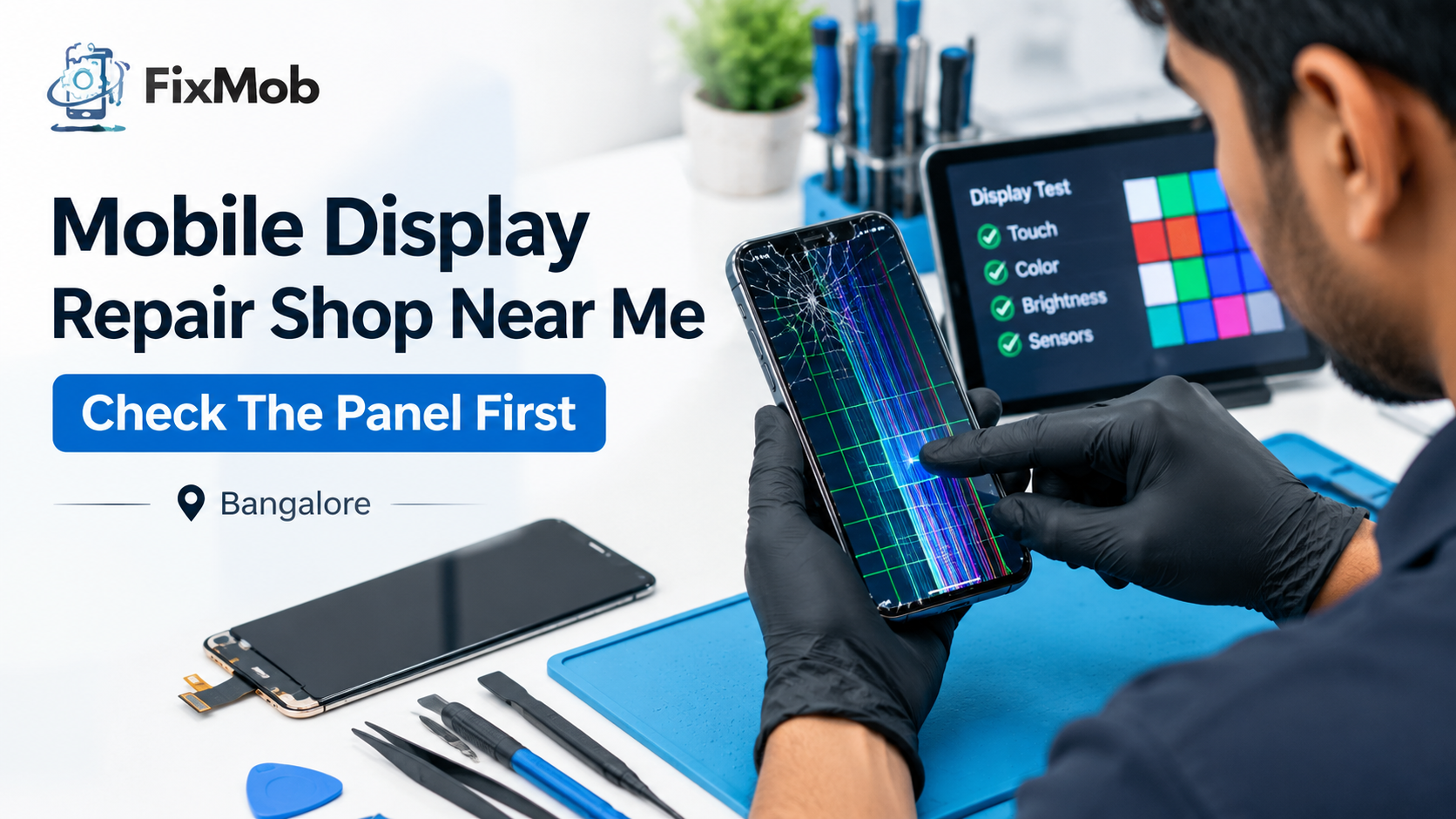
Touch in every corner, brightness at both ends, a clean picture on solid colours, and every sensor tied to the screen. A mobile display repair shop near me that hands the phone straight back is asking you to find the faults later.
You can run the checks yourself in two minutes, and you should, before you pay:
• Touch: drag an app icon around every edge and corner
• Colour: view full-screen white, black, red, green and blue, and look for patches or dead pixels
• Brightness: slide it to the lowest and highest, then try auto-brightness
• Sensors: fingerprint reader, the proximity sensor during a call, and screen rotation
• Everything else: camera, speaker and charging still behave
Do all of it while the technician is still there. After the money changes hands, the conversation tends to change too.
Do LCD And OLED Panels Change What You Should Ask?
Yes. LCD panels use a backlight and usually cost less, while OLED panels light each pixel themselves and usually cost more. So the question isn’t only “screen change”. It’s “which panel, and what grade?” A fair quote names both.
|
Panel or option |
How it works |
What to ask |
|
LCD |
Lit by a backlight |
Is the replacement the same panel type as mine? |
|
OLED |
Each pixel lights itself |
Which grade, and will brightness and fingerprint behave normally? |
|
Part options |
Quality-matched or higher grades |
Can you explain the choices before you start? |
Poor parts can hurt brightness, touch response and how long the display lasts. That’s why we explain the part options we use before starting.
Any mobile screen repair shop near me should be happy to tell you which of those options your phone is getting. If the answer is a shrug, you’ve learned something useful.
How Do You Prepare Your Phone For A Display Repair?
Back up first, then book. Before you hand the phone to a mobile display repair shop near me or a technician who visits, spend ten minutes saving photos and contacts and noting any damage the phone already has.
1. Back up photos, chats and contacts to the cloud or a laptop.
2. Photograph the back and edges, so any existing marks are on record.
3. Remove the case and any screen protector, and take out the SIM and memory card.
4. Ask for the quote, the panel type and the warranty in writing.
5. Be ready to unlock the phone yourself, so testing happens in front of you.
6. Pay only after you’ve tested everything.
At FixMob you don’t pay up front. The invoice arrives after the repair, once we’ve sent photos and videos of the finished phone.
What If The New Display Starts Acting Up Later?
Call the shop first, with your bill and a short description of the fault. A fair shop will inspect the phone under its repair warranty. If nobody responds, you can register a complaint with the National Consumer Helpline, run by the Department of Consumer Affairs.
The helpline numbers are 1800-11-4000 and 1915, and complaints can also be logged online. Keep the bill, the warranty terms and a few photos of the fault handy.
Our own repair warranty lasts six months and covers eligible issues linked to the replaced part. New cracks, liquid damage after the repair, and repairs by another provider are generally excluded.
Frequently Asked Questions
Can a phone display be repaired, or must it be replaced?
Often it must be replaced, because on most phones the glass, touch layer and panel work as one unit. A glass-only fix is possible only when the picture and touch are still perfect.
How long does a display replacement take?
Most take 30 to 60 minutes once the part is in hand. Board level faults behind a dead screen can take two to four hours.
Will a new display change brightness or colours?
It can, depending on the panel type and part grade. That’s why you should ask which panel is going in and test brightness and colours before you pay.
Is it safe to hand my phone to an independent shop?
Yes, if the shop works in front of you or gives written terms. A mobile display repair shop near me worth using will name the panel, quote your exact model, and test the phone before you pay.
Does a display repair affect my phone’s warranty?
It can, depending on the brand and its terms, so read your manufacturer’s warranty before booking an outside shop. If the phone is already out of warranty, there’s nothing left to void.
What does a display repair warranty cover?
At FixMob, six months on the replaced part, for eligible issues linked to the repair. New cracks, liquid damage and unrelated faults are generally excluded.
Where Should You Start?
Pick the shop that diagnoses first and tests last. Call two of them, ask the same questions, and go with whoever answers without dodging.
Or skip the shopping around: book a FixMob display repair online and a technician comes to your Bangalore doorstep, with a 6-month warranty and payment only after the job. Whatever you choose, the best mobile display repair shop near me is the one that tests before you pay.