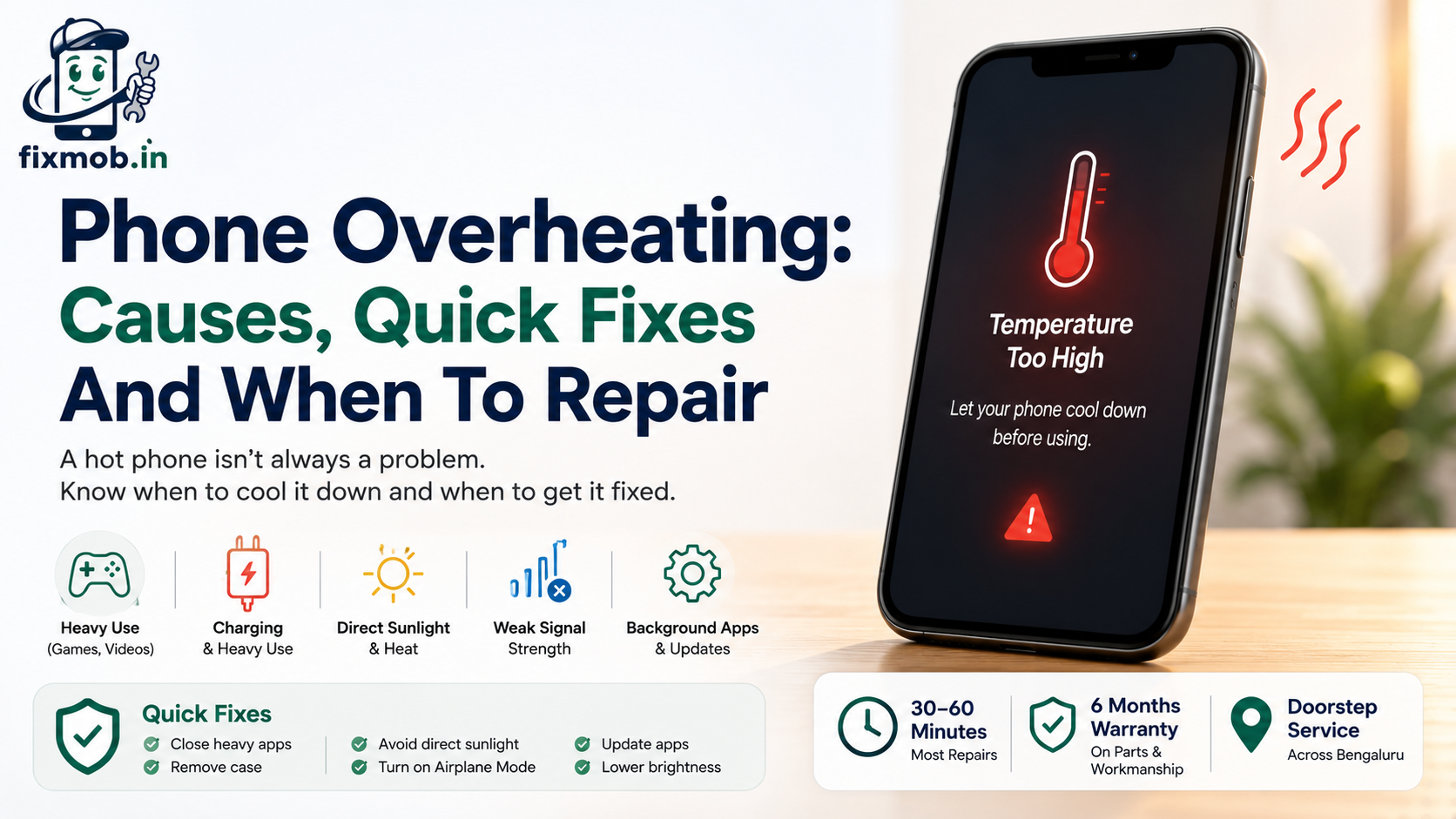
Phone Overheating: Causes, Quick Fixes And When To Repair
A phone that feels hot in your hand is usually working too hard, not breaking down. Games, video, direct sun, and charging all push up the temperature, and most of the time the phone cools on its own.
Sometimes, though, phone overheating is a warning sign. If your phone runs hot while doing very little, or shuts itself down from heat, the cause may sit in the battery or the board. This guide separates the everyday from the serious.
Quick Answer
• Most overheating comes from heavy use, charging, or hot surroundings.
• Phones are built to run between 0 and 35 degrees Celsius.
• Simple fixes cool a phone in minutes, with no repair needed.
• Constant heat during light use points to a battery or board fault.
Why Does A Phone Overheat?
Phone overheating happens when the processor, battery, or charging circuit produces more heat than the body can shed. Heavy apps, a weak signal, background updates, and a hot environment are the usual drivers, and often several of them stack up at once.
Most cases trace back to one of these everyday triggers:
• Gaming, video calls, or navigation running for a long stretch.
• Charging and using the phone heavily at the same time.
• Direct sunlight or a hot car raising the surrounding temperature.
• A weak signal forcing the radio to work harder to stay connected.
• A buggy app or a stalled update stuck using the processor.
Two of these matter more than people expect. A weak signal, common in basements, lifts, and crowded areas, makes the phone drive its antenna hard, which warms the whole device. And a single misbehaving app can quietly max out the processor in the background long after you have stopped using it.
Heat also builds when several small things combine: a warm room, a backup running, and the screen at full brightness. No single culprit, but together they tip the phone past its comfort zone.
Is It Normal For Your Phone To Feel Warm?
Some warmth is normal, especially while charging, gaming, or setting up a new device. Phone overheating only becomes a concern when the handset is too hot to hold comfortably, shows a temperature warning, or shuts itself down to cool off.
Manufacturers design phones for a fairly narrow band. Apple states that iPhones are built to work between 0 and 35 degrees Celsius, and that very hot conditions can permanently shorten battery life. Android phones follow similar limits.
Above that range the phone protects itself: charging slows, the screen dims, and performance drops until it cools down. That throttling is a safety feature, not a fault.
On some phones you may see an alert asking you to let the device cool before you carry on. That message is normal and clears on its own once the temperature drops back into range.
|
Situation |
Usually normal |
Worth checking |
|
Warm while gaming or on video |
Yes, cools after |
If it shuts down from heat |
|
Warm while charging |
Mild warmth is fine |
Too hot to hold, or very slow charge |
|
Warm in the sun |
Yes, cools in shade |
Stays hot indoors too |
|
Warm on standby |
No |
Battery or an app is likely at fault |
The takeaway is simple. Warmth that arrives with an activity and fades when you stop is normal. Heat that lingers, keeps climbing, or shows up when the phone is idle is the kind worth investigating.
Why Does Your Phone Overheat While Charging?
Charging naturally makes heat, and using the phone while it charges adds more. Phone overheating while charging usually comes from a cheap charger, a damaged cable, a blocked port, or heavy use during the top-up, rather than a serious fault.
Fast charging adds to this. Modern phones pull a lot of power to fill quickly, and that speed makes heat by design. A little warmth during a fast charge is expected, but the phone should never get too hot to pick up.
Work through these before assuming the worst:
• Switch to the original or a certified charger and cable.
• Clean lint out of the charging port with a dry, soft brush.
• Take the case off while charging so heat can escape.
• Avoid gaming or video streaming while the phone tops up.
A hot wall adapter can be the culprit rather than the phone itself. Try a different plug to rule it out before booking anything.
If it still runs hot on a good charger while doing nothing, the battery or charging circuit may be failing, and you can book a doorstep repair to have it checked.
When Is Phone Overheating A Sign You Need A Repair?
Phone overheating becomes a repair job when it happens with little or no use, or comes with fast battery drain, a swollen back, or random shutdowns. These signs point to a tired battery or a board fault, not to habits you can change.
A swollen battery is the clearest signal of all. Lithium cells expand as they age or overheat, so a bulging back panel or a screen lifting at the edge means the battery needs replacing now, not later. In many phones a phone battery replacement clears the heat and the drain in a single visit.
Age is the biggest factor here. Most phone batteries hold up well for about two years, then lose capacity and run warmer as they work harder to keep a charge. If your phone is older and the heat crept in gradually, the cell is the usual suspect.
A swollen battery is not only a performance problem, it is a safety one. Stop charging it, avoid pressing on the back panel, and get it looked at quickly rather than waiting for it to settle.
Our battery replacement and cost guide covers the signs and pricing in more detail.
• Heat when you are barely using the phone, or on standby.
• Battery draining far faster than it used to.
• A swollen back panel or a screen lifting at one edge.
• Random shutdowns or restarts once the phone gets warm.
• A charging port that feels hot or has gone loose.
How Do You Stop A Phone From Overheating?
To cool a hot phone fast, stop what you are doing, take the case off, and move it out of the sun. For lasting relief, phone overheating usually eases once you sort out charging habits, background apps, and outdated software.
1. Close the heavy apps and games you are not actively using.
2. Turn on airplane mode for a few minutes to rest the radios.
3. Remove the case and rest the phone on a cool, hard surface.
4. Keep it out of direct sun and never leave it in a parked car.
5. Update your apps and system software to clear known bugs.
6. Lower the screen brightness or switch on auto-brightness.
Airplane mode helps because a phone fighting for signal is one of the quietest causes of heat. A minute or two with the radios off often drops the temperature noticeably.
Never put a hot phone in the fridge or freezer. The sudden change causes condensation inside the phone, which can do more harm than the heat itself.
If the heat keeps returning after all of this, the pattern is the clue. A phone that runs hot on light use, week after week, has moved past habit and into hardware, and a quick battery test will confirm which part is at fault.
Frequently Asked Questions
Why does my phone get so hot?
Usually heavy use, charging, or a hot environment. If it happens during light use or on standby, the battery or a background app is the more likely cause.
Can overheating damage my phone?
Yes. Sustained heat can permanently shorten battery life and, in extreme cases, stress the board. Cooling the phone quickly and fixing the cause protects it.
Is it bad to use my phone while charging?
Light use is fine. Heavy use while charging drives phone overheating, so save gaming and video for when the phone is unplugged and cooler.
Why does my phone get hot and drain the battery fast?
That pairing often means an aging battery or a rogue app. Check the battery settings for a heavy app, and if the battery is old, replacing it usually fixes both.
Should I worry if only one part gets hot?
A hot spot near the camera or charging port can point to that component. If it is persistent, have it checked rather than ignoring it.
Does a factory reset fix overheating?
Sometimes, if a software glitch is the cause. Back up first, then reset. If the heat returns quickly, the problem is hardware, not software.
How Do You Keep Your Phone Cool For Good?
A little heat is normal, but a phone that runs hot doing nothing is trying to tell you something. If simple fixes do not settle the phone overheating, book a doorstep check or contact the FixMob team for a battery test and an honest diagnosis.
A ten-minute visit is usually enough to tell whether the cause is the battery, an app, or something on the board.