iPhone Storage Full? What To Delete And What To Leave Alone
The camera refuses to open, the update will not install, and iOS keeps asking you to delete something. Most people start with their photos, which is usually the wrong place to begin.
An iPhone storage full alert is rarely about the photos you can see. This guide covers what is actually eating the space, nine fixes in order of least pain, and the one case where the problem is a failing part rather than a full drive.
The Essentials
• Photos and app caches use far more space than the apps themselves
• Offloading apps frees space while keeping your documents and data
• System Data swells with caches and usually shrinks on its own
• Deleted photos sit in a hidden album for 30 days and still count
• A phone that fills up again within days may have a real fault
Why Does Your Phone Say Storage Is Full?
Because iOS needs free working space, not just room for files. Apps write caches, updates need several gigabytes to unpack, and the camera reserves space before recording. So an iPhone storage full warning can appear while the numbers suggest you still have room.
Three things trigger the alert more often than anything else.
• Cached media. WhatsApp, Instagram and YouTube quietly store copies of everything you view.
• Deleted files that are not gone. Photos, messages and files sit in recovery folders for weeks.
• A pending iOS update. The installer downloads and then needs the same space again to expand.
There is also a floor you cannot use. iOS reserves a slice of the drive for the operating system itself, so a 64 GB phone never offers a full 64 GB, and the last few gigabytes are effectively out of reach.
Before you delete a single thing, check that your photos are backed up. Our guide to broken phone data recovery explains how to confirm an iCloud or Google Photos backup exists before you clear anything permanently.
What Is Actually Using Up Your Storage Space?
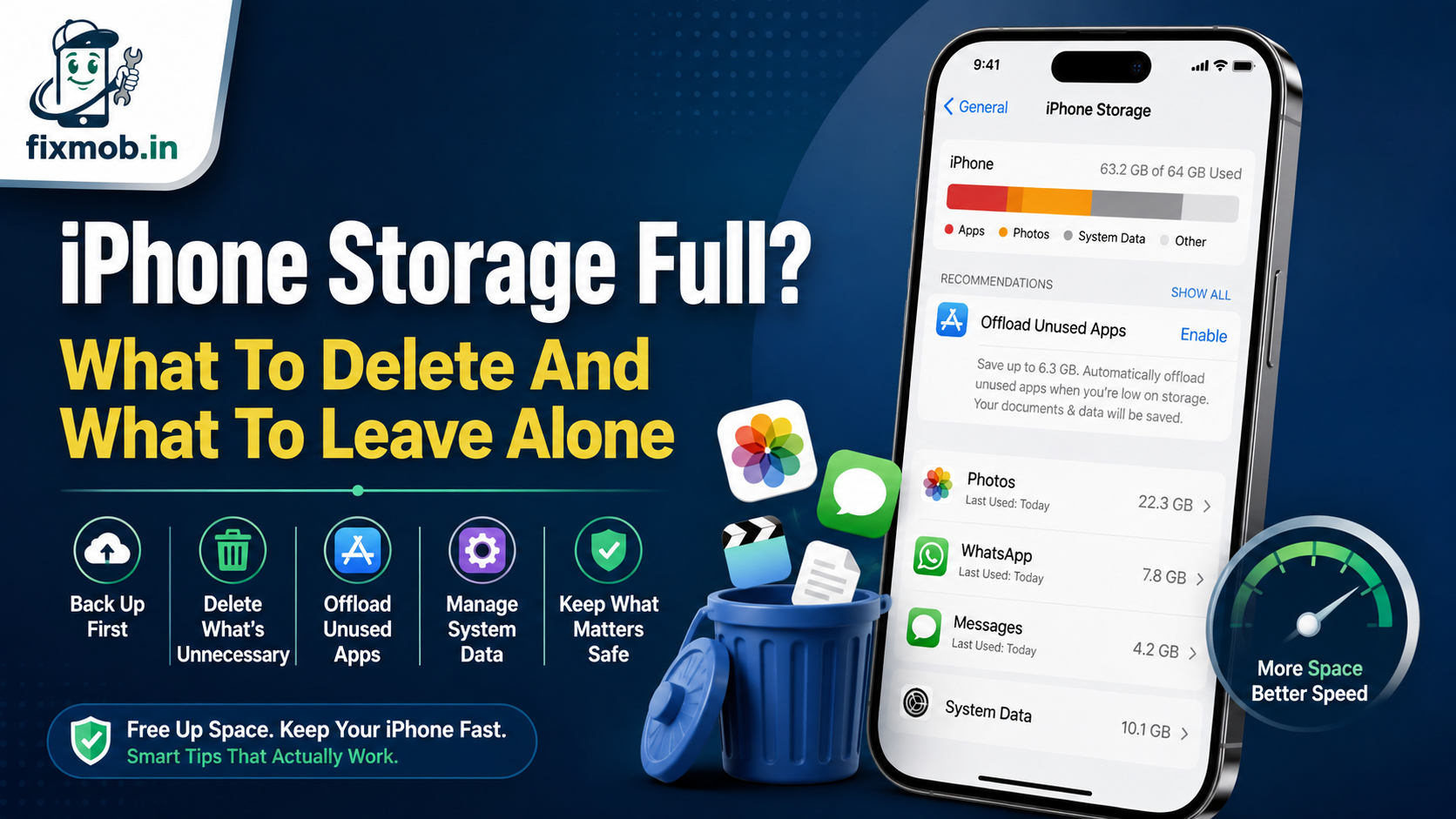
Open Settings, tap General, then iPhone Storage and wait for the bar to load. The list underneath is ranked by size, and it usually contradicts what people assume. Messages and cached video routinely beat the camera roll on an iPhone storage full device.
|
What it is |
Typical size |
Worth clearing? |
|
Photos and videos |
20 to 120 GB |
Yes, once a backup is confirmed |
|
WhatsApp media |
5 to 60 GB |
Yes, clear per chat, keep the chats |
|
Messages and attachments |
2 to 30 GB |
Yes, set messages to auto delete |
|
Apps you never open |
3 to 25 GB |
Offload rather than delete |
|
System Data |
5 to 20 GB |
Partly, see below |
|
Recently Deleted album |
1 to 15 GB |
Yes, it counts until you empty it |
The last row catches almost everyone. Deleting photos moves them to a Recently Deleted album where they stay for 30 days, so the space does not come back until you empty that album yourself.
How Do You Free Up Space Without Losing Photos?
Work from the least destructive fix to the most. These nine steps recover real space on an iPhone storage full handset, and none of the first six deletes anything you cannot get back.
1. Empty Recently Deleted. Photos, then Albums, then Recently Deleted, then Delete All.
2. Turn on Offload Unused Apps. Apple’s guidance confirms that iOS removes the app but keeps your documents and data, and the icon stays with a cloud symbol.
3. Clear WhatsApp media per chat. Settings, Storage and Data, Manage Storage, then sort by largest.
4. Set Messages to auto delete. Settings, Apps, Messages, Keep Messages, then choose one year.
5. Turn on iCloud Photos with Optimise Storage. Full resolution stays in the cloud, small copies stay on the phone.
6. Clear the Safari cache. Settings, Apps, Safari, then Clear History and Website Data.
7. Delete downloaded video and music. Netflix, Prime, YouTube and Apple Music downloads are the quiet giants.
8. Restart the phone. A reboot clears temporary files that iOS will not release while apps are running.
9. Back up, then restore. A full backup and restore rebuilds the file system and often recovers several gigabytes.
Here is roughly what each of the easy wins returns on a phone that has been in daily use for two years.
|
Fix |
Time it takes |
Space it usually returns |
|
Empty Recently Deleted |
1 minute |
1 to 15 GB |
|
Offload unused apps |
2 minutes |
2 to 10 GB |
|
Clear WhatsApp media |
10 minutes |
5 to 40 GB |
|
Auto delete old messages |
1 minute |
2 to 20 GB |
|
Optimise iCloud Photos |
5 minutes, then syncing |
10 to 80 GB |
|
Backup and restore |
2 to 4 hours |
3 to 15 GB |
Do step nine only when the first eight have failed, and only with a verified backup in place.
One exception to the whole list. If the display is cracked badly enough that you cannot reach Settings, fix that first, because cracked screen repair is cheaper than any data extraction you would otherwise need.
What Is System Data And Can You Clear It?
The iPhone System Data block is the grey band at the end of the storage bar. It holds caches, logs, Siri voices, fonts and update files, and it grows quietly as you use the phone. It is not deletable on its own, which is why an iPhone storage full problem so often looks unfixable.
You can still shrink it indirectly.
• Restart the phone, which clears a surprising amount of temporary cache
• Clear Safari and streaming app caches, since both dump straight into System Data
• Delete and reinstall the single largest offender app rather than offloading it
• Install any pending iOS update, which removes the installer files afterwards
One warning about the numbers here. The figure moves on its own as iOS clears caches in the background, so check it again the next morning before deciding that nothing worked.
If System Data sits above 20 GB and refuses to fall after all of that, a backup and restore is the only reliable reset.
Anything on the App Store promising to clean it is selling you a placebo, and so is any shop quoting a repair for it. Our approach to honest diagnostics starts with saying when there is nothing to fix.
Does Full Storage Slow The Phone Down?
Yes, and in specific ways rather than generally. iOS needs free space to write caches and swap files, so a phone at the limit stutters, apps close on launch, and the camera refuses to record video. Fixing the space usually fixes the speed.
What full storage does cause:
• Apps that crash or close as soon as they open
• Failed iOS updates and stalled downloads
• A camera that will not shoot video or Live Photos
• Messages and email that stop syncing
• Slow app switching and long launch times
What it does not cause is a phone that dies at 40 percent or runs hot doing nothing. That is a battery pattern, and our battery replacement guide explains how to tell the two apart before you spend money on the wrong fix.
Can You Upgrade The Storage Or Is It A Hardware Job?
Storage on an iPhone is a chip soldered to the logic board, so there is no card slot and no official upgrade. Chip swaps do exist in the grey market, and they carry a real risk of data loss, failed updates and Face ID problems afterwards.
There is a narrower case worth taking seriously. If your iPhone storage full warning returns within days of clearing 20 GB, or the storage bar never finishes loading, the fault may sit in the storage chip or its board connection rather than in your files.
Signs it has stopped being a housekeeping problem:
• The storage figure jumps by many gigabytes with no matching activity
• The phone reboots on its own while writing photos or video
• It gets stuck on the Apple logo after an update attempt
Bring the phone in before you attempt a restore in that state. A failed restore on a faulty storage chip can leave you with neither the files nor a working handset, which is the worst outcome available.
That is board level territory, and our guide to phone motherboard repair covers what a proper diagnosis involves.
You can also see the circuit level repair services we handle at your doorstep across Bangalore.
Frequently Asked Questions
Why Is My iPhone Storage Full When I Have Nothing On It?
Cached media, message attachments and System Data take space that never appears in your apps. Check Settings, General, iPhone Storage to see the real ranking.
Does Deleting Photos Free Space Immediately?
No. Deleted photos stay in the Recently Deleted album for 30 days and keep occupying storage until you empty that album manually.
Will Offloading An App Lose My Progress?
No. Offloading removes the app itself but keeps its documents and data, so reinstalling from the cloud icon restores everything as it was.
Is An iPhone Storage Almost Full Warning Urgent?
Not urgent, but do not ignore it. Once free space runs out, iOS updates fail and the camera stops recording, which is when an iPhone storage full alert turns into a real problem.
Can A Repair Shop Add More Storage To My iPhone?
Not safely. The chip is soldered to the logic board, and unofficial upgrades risk data loss, Face ID faults and problems with future iOS updates.
Does A Factory Reset Fix Full Storage?
It clears everything, so yes, but only as a last step. Back up first, since a reset with no backup is the most common way people lose their photos.
Where Should You Start Today?
Start with the Recently Deleted album and Offload Unused Apps, because those two steps take five minutes and cost you nothing. Work down the list from there, and keep the backup check ahead of every deletion.
If the space disappears again within a week, an iPhone storage full alert is telling you something a cleanup cannot fix. Book a doorstep diagnosis and a technician will check the storage and the board before recommending anything.