Broken Phone Data Recovery: What Is Actually Possible
The screen is black and the only thing you care about is the photos. Not the handset, not the warranty. The photos.
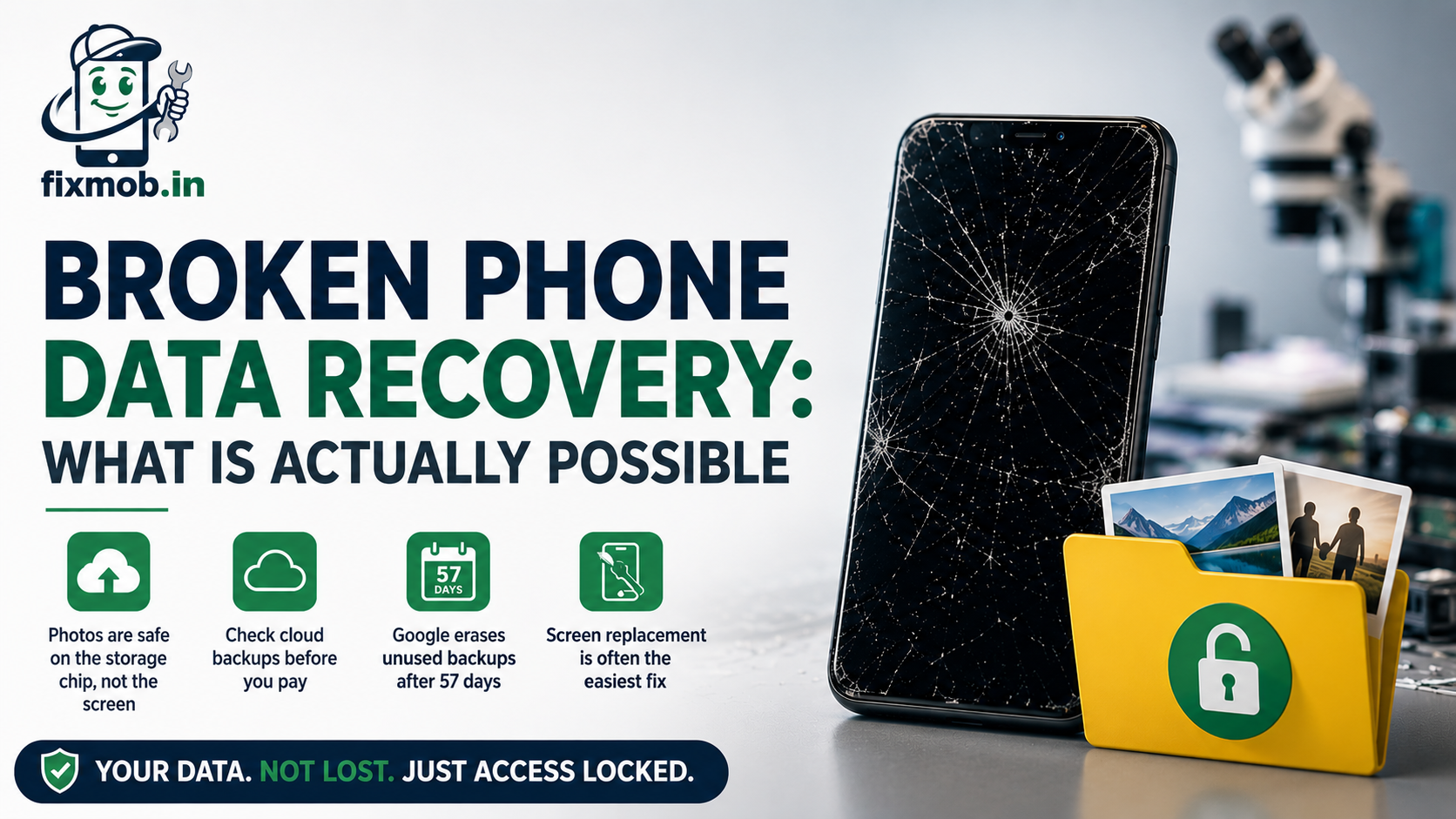
Here is what most people get wrong in that moment. Your files do not live in the screen. They sit on a storage chip soldered to the motherboard, which is why broken phone data recovery succeeds far more often than the panic suggests.
This guide covers what survives a smashed handset, the six routes back to your files, and roughly what each one costs in Bangalore.
The Short Version
• Your photos sit on the motherboard, not inside the display
• Check Google Photos or iCloud before you pay anyone anything
• Google erases an unused device backup after 57 days
• A screen swap is usually the cheapest route back to your files
• Only a phone with a dead board needs chip level work
Is Your Data Gone When The Screen Breaks?
No. A cracked or dead display is a broken output device and nothing more. Your photos, chats and contacts sit on a separate storage chip, so broken phone data recovery is usually about restoring a picture rather than rescuing files.
Think of the display as a window. Smashing the window does not empty the room behind it.
That is why the odds are better than they feel. To recover data from a broken phone, a technician needs the board alive and the storage chip intact. Everything else is a wiring problem.
• The display shows your data but never stores it
• The storage chip holds photos, messages, contacts and app data
• The battery and charging port control whether the board wakes up
• Only heat, water and hard shorts genuinely threaten the chip itself
Heat is the quiet exception. A battery that swells and cooks the board, or a phone left on a dashboard all afternoon, can damage the chip in a way a drop never will, so the signs of a worn phone battery are worth knowing.
Which Kind Of Broken Phone Do You Have?
Four broken phones that look identical on a table need four different answers. Broken phone data recovery starts with one question: how much of the device still responds. Press the power button, plug in a charger, and watch for any light, sound or vibration.
|
What you see |
Display |
Touch |
Best first move |
|
Cracked glass, picture still fine |
Works |
Works |
Plug into a computer |
|
Picture fine, taps ignored |
Works |
Dead |
Connect an OTG mouse |
|
Black screen, but it rings or buzzes |
Dead |
Dead |
Video out, or a new screen |
|
No light, no sound, no vibration |
Dead |
Dead |
Board level diagnosis |
|
It went into water |
Varies |
Varies |
Get it opened the same day |
Do that test before you ring anyone. A phone that buzzes when you plug it in has a live board, and that single fact rules out the most expensive half of this list.
Liquid is the one case where waiting costs you files. Corrosion spreads for days after a spill and can reach the storage chip itself, so our water damaged phone guide is worth reading before you try anything else.
What Should You Check Before You Pay Anyone?
Your cloud account, first. Roughly half the people who walk in worried about lost photos already have them backed up and have never opened the folder. Five minutes on a laptop can end the problem before a technician touches the handset.
Sign in on any computer and check these four places:
• Google Photos for photos and videos on Android
• Google One backup for contacts, SMS, call logs and app data
• iCloud for photos, messages, notes and device backups on iPhone
• WhatsApp on Google Drive or iCloud for your chat history
Two traps catch people here. Many phones are signed into more than one Google account, and the photos sit in the one you never open. Backup is also off by default on some handsets, so having a Google account is not the same as having a backup.
There is a deadline on the Android side that almost nobody knows about. Google states that if you do not use your device for 57 days, the data you backed up is erased, with photos and videos in Google Photos excluded from that clean-up.
So the broken handset sitting in a drawer since March is a real risk. Deal with it inside two months.
How Do You Get Data Off A Phone With A Broken Screen?
Six routes, running cheapest first. Which one you need depends on what still responds, not on how bad the glass looks, and most broken phone data recovery jobs end with the first three. Anyone quoting board work before trying them is skipping the easy answers.
1. Restore from the cloud. Nothing to open, nothing to pay. Sign in on another device and pull the backup down.
2. Plug into a computer. If touch still works, unlock the phone, tap Allow on the file transfer prompt, and drag the folders across.
3. Add a mouse over OTG. A 200 rupee adapter and any USB mouse gives you a pointer on screen when the display works but touch has died.
4. Send video out to a monitor. Many mid-range and flagship phones push video over USB-C, so a black display can be mirrored to a TV and driven with a mouse.
5. Replace the screen. The moment the panel is the only fault, a new one turns the phone back into a working phone with every file in place.
6. Repair the board. Reserved for handsets that will not power on at all, where circuit level diagnostics come first.
Route three is the one people miss. A dead digitiser with a live display looks hopeless and is one of the easiest cases to solve.
Route four carries a catch worth checking first. Video out over USB-C is common on recent flagships and mid-range Androids but missing on many budget models, so look up your exact model before buying an adapter.
Why Is A Screen Replacement Often The Cheapest Recovery?
Because nothing was ever lost. Swapping the panel restores access to a phone whose data has been sitting there untouched the whole time, and it leaves you with a usable handset instead of a folder of rescued files.
Specialist data extraction is priced as a lab service. A screen is priced as a part, which is why broken phone data recovery so often ends at a repair counter rather than a data lab.
|
Route |
Typical cost in Bangalore |
Time |
Use it when |
|
Cloud restore |
200 |
1 to 2 hours |
A backup was switched on |
|
Computer transfer |
200 |
30 minutes |
Touch still responds |
|
OTG mouse |
200 to 500 rupees |
Under an hour |
Display works, touch is dead |
|
Video out to a monitor |
500 to 1,200 rupees |
About an hour |
Display is dead, phone is alive |
|
Screen replacement |
1,500 to 12,000 rupees |
30 to 60 minutes |
The panel is the only fault |
|
Board repair |
2,500 to 8,000 rupees |
1 to 4 days |
Nothing powers on |
Data labs charge for time, careful handling and equipment that reads a chip straight off the board. That work is justified on a dead phone. It is wasted money on a handset whose only fault is a cracked panel.
Prices move with the model, since a flagship AMOLED panel costs several times a budget LCD. Any honest mobile repair in Bangalore quotes you only after opening the phone, never from a photo on WhatsApp.
When Does Broken Phone Data Recovery Need Board Work?
Only when the phone shows no sign of life at all. No charging light, no vibration, no logo. At that point the fault sits in the power circuit or the board itself, and the files are behind a component that has to be repaired before anything can read them.
This is slow, microscope work rather than a parts swap, and it is covered in more detail in our guide to phone motherboard repair.
Two outcomes are worth knowing in advance:
• Fix the power fault and the phone boots normally with every file intact
• Read the storage chip separately, which can return files but not a working handset
The second route is a last resort, it is not cheap, and it does not always work. Modern phones tie their storage encryption to the board itself, so a chip lifted off a dead board can come back unreadable.
That is also why one phrase should stop you cold: we will replace the motherboard. A new board makes the phone switch on, but your files stay on the old one. If the data is what you want, ask for the original board to be repaired.
Get the diagnosis in writing before you agree to chip removal. Once the chip comes off the board, the handset is rarely worth rebuilding, so it is a one way decision.
Is Your Data Private While Someone Else Has Your Phone?
It should be, and you are entitled to ask how. A good workshop treats broken phone data recovery as access to your private life, not just a technical job, and limits what it opens to what the repair actually requires.
Ask three questions before you hand anything over:
• Will the repair be done in front of me, or does the phone leave the room?
• Is a factory reset needed, and will you tell me before doing it?
• What do you actually open on the device to test the repair?
Doorstep repair settles most of this by itself. If the technician works at your kitchen table, the phone never leaves your sight and the trust question largely answers itself.
Screen and battery work rarely needs your passcode at all. FixMob sets out its handling rules on the device safety and data privacy page, and a shop that cannot answer those three questions is telling you something.
Frequently Asked Questions
Can data be recovered from a completely dead phone?
Often yes. Repairing the original board is the surest route, because modern phones tie storage encryption to that board, which makes reading the chip alone much harder.
Will a screen replacement erase my photos?
No. Screen work never touches storage, so your photos, chats and apps are exactly where you left them once the new panel is fitted.
How much does broken phone data recovery cost in Bangalore?
Broken phone data recovery costs nothing if a cloud backup exists. A screen swap runs from about 1,500 rupees, and board level work sits between 2,500 and 8,000 rupees.
Can I recover WhatsApp chats from a broken phone?
Usually. WhatsApp backs up to Google Drive or iCloud, so restoring on a new handset with the same number and account brings the history back.
Is my phone still under warranty after a data recovery attempt?
Probably not. Third party repair and liquid damage both void most manufacturer warranties, so check your cover before anyone opens the device.
How long should I wait before getting help?
Not long. Corrosion spreads within days on a wet phone, and an unused Android backup is deleted after 57 days, so both clocks work against you.
Where Do Your Photos Go From Here?
Start with the cloud, because it costs nothing and takes five minutes. If the backup is missing or out of date, get the phone looked at before corrosion or an expired backup narrows your options.
Book a doorstep repair and a technician will tell you which broken phone data recovery route your handset actually needs, with a firm quote before any work begins.