How To Spot Screen Burn In And What Actually Fixes It
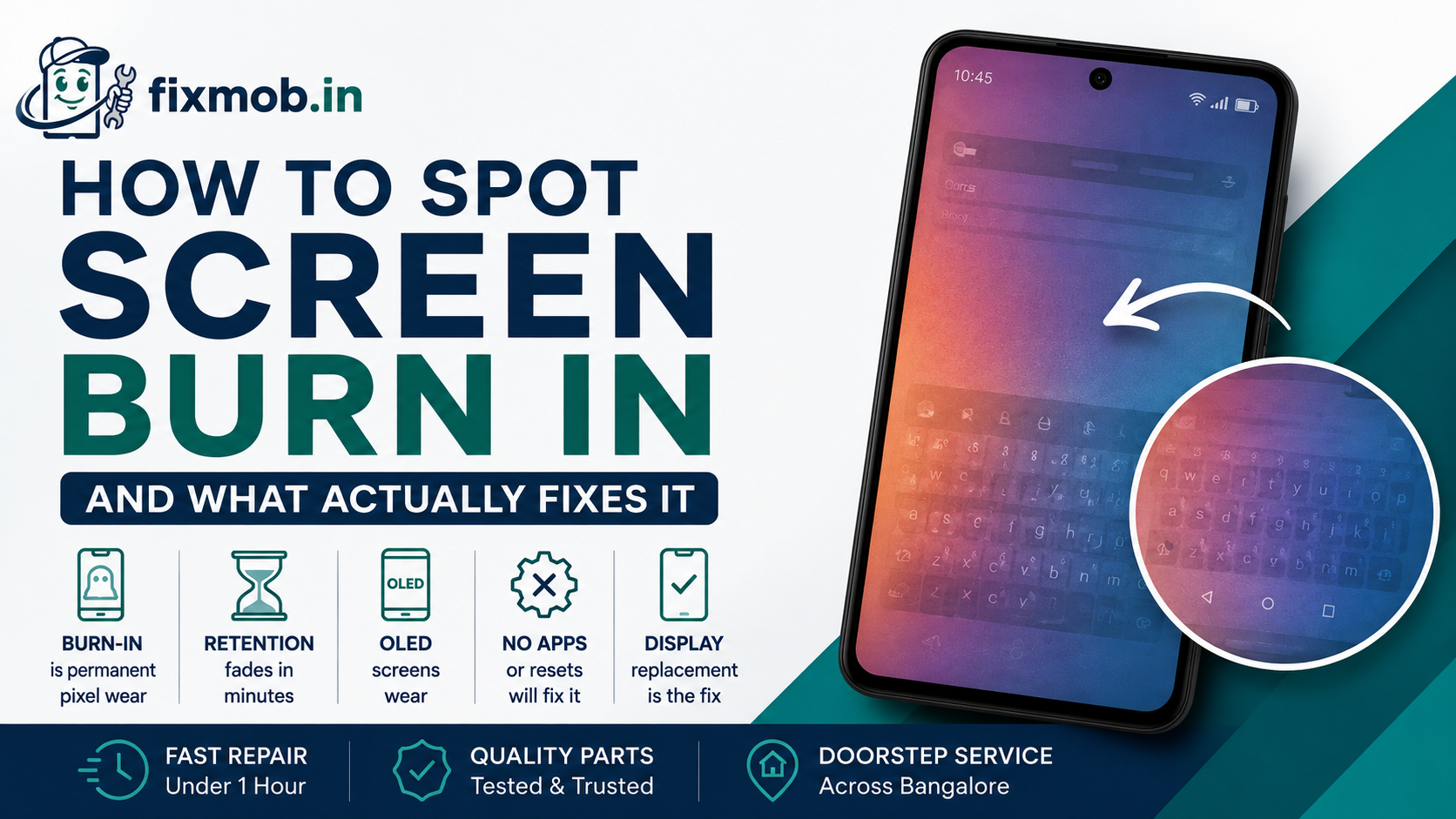
A faint keyboard outline floats over your photos. A ghost of the status bar sits in the same place on every app.
That shadow is not dust and it will not wipe off. This guide shows you how to confirm screen burn in, how to separate it from a harmless ghost image, and what a real repair costs in Bangalore.
The Short Version
• Burn-in is permanent pixel wear, not a stain or a software bug
• Image retention fades within minutes, true burn-in never fades
• OLED and AMOLED panels wear, LCD panels almost never burn
• No app, cache wipe, or factory reset removes it
• A panel swap is the only real fix and takes under an hour
What Is Screen Burn In On A Phone?
Screen burn in is permanent uneven ageing of the pixels in an OLED or AMOLED panel. Sub-pixels that show the same bright image for thousands of hours dim faster than their neighbours, leaving a fixed shadow that appears on plain backgrounds.
The blue sub-pixels wear fastest, which is why burnt areas often look faintly yellow or pink against white.
You will usually see the ghost of something that never moved:
• The Android navigation bar or the home indicator
• Keyboard rows, especially the space bar and the number line
• Status bar icons such as the clock, battery, and signal bars
• App interface elements from YouTube, Instagram, or Google Maps
• The always-on display clock on Samsung and OnePlus handsets
Is It Burn In Or Just Temporary Image Retention?
Image retention and burn-in look identical for the first few minutes, so time is the only reliable test. Image retention clears on its own once the screen shows different content, while screen burn in survives reboots, wallpaper changes, and a full factory reset.
Run this test before you spend anything:
1. Open a plain white image at full screen and full brightness. Look for shadows.
2. Repeat with a plain grey and a plain red image, which expose different sub-pixels.
3. Leave the phone showing mixed video content for fifteen minutes, then repeat step one.
If the shadow is fainter or gone after step three, you had retention and the panel is fine. If it is unchanged, the wear is baked in.
Two details catch people out here. A shadow that only appears at low brightness is usually retention, because worn pixels stand out most when the panel is driven hard. And a mark that moves when you rotate the phone is a reflection on the glass, not anything inside the panel.
What Causes Screen Burn In On AMOLED Phones?
Four things drive it: brightness, time, static content, and heat. A navigation bar held at peak brightness for ten hours a day ages far faster than the video scrolling above it, and a warm panel ages faster still.
Apple documents this as expected long-term behaviour for OLED, noting that a high-contrast image held at high brightness for long periods is the extreme case that causes it.
Bengaluru adds its own pressure. Riders and delivery partners run Google Maps at full brightness under daylight for entire shifts, which is close to a worst case for a phone display.
Other common patterns:
• Always-on display left running for years on the same clock face
• Gaming with a fixed heads-up display for long sessions
• A phone mounted on a bike or car cradle in direct sun
• Kiosk, billing, or point of sale apps that never change layout
Heat also causes faults that look similar but are not wear at all. A sharp vertical line usually means a failed panel connection rather than ageing, and our guide to a green line on phone screen displays covers that fault separately.
How Long Does It Take For Burn-In To Show Up?
On a modern AMOLED panel used normally, visible wear takes two to four years. Push brightness to maximum for eight hours a day and it can appear inside twelve months. Panels made before 2019 wear noticeably faster than current ones.
The shadow arrives slowly, which is why most people miss the early stage. It starts as a tint you only catch on a grey background at an angle, then becomes obvious on white, then shows on any light screen at any brightness.
By the time someone starts searching how to fix screen burn in on phone displays, the wear is usually more than a year old. It is well past the point where any setting helps.
Catching it early does not reverse anything, but it does tell you whether the panel will last another year or is about to become unreadable.
There is one useful side effect of testing early. If the shadow turns out to be retention rather than wear, you can change your brightness and always-on habits before real damage sets in.
Can Burn-In Be Fixed Without A New Display?
No. Once pixels have aged unevenly, nothing in software restores them, because there is no lost setting to recover. Every screen burn in fix that promises otherwise either hides the shadow temporarily or wears the surrounding pixels down to match, which shortens the life of the whole panel.
|
Method |
What it promises |
What actually happens |
|
Burn-in fixer apps |
Rebuilds worn pixels |
Cycles bright colours, ages good pixels too |
|
Colour scrolling videos |
Erases the ghost |
Masks it for minutes, no lasting change |
|
Factory reset |
Clears the fault |
Nothing, the wear is physical |
|
Cache wipe or safe mode |
Rules out software |
Useful as a test, not a fix |
|
Heat or pressure tricks |
Resets the pixels |
Risks delamination and dead spots |
|
Panel replacement |
New display |
The only permanent result |
A dark ghost that grows and spreads is a different problem again. If yours is expanding week by week, read our guide on a black spot on phone screen panels before assuming it is wear.
What Does An AMOLED Display Replacement Cost In Bangalore?
An AMOLED display replacement in Bangalore typically runs between 2,500 and 20,000 rupees, depending on the handset and the grade of panel. Budget Androids sit at the bottom, recent flagships and iPhones at the top. The figures below are typical ranges, not quotes.
|
Phone tier |
Typical range |
Time on site |
|
Budget Android AMOLED |
2,500 to 4,500 rupees |
30 to 45 minutes |
|
Mid-range AMOLED |
4,500 to 9,000 rupees |
30 to 60 minutes |
|
Flagship Android AMOLED |
9,000 to 18,000 rupees |
45 to 75 minutes |
|
Recent iPhone OLED |
10,000 to 25,000 rupees |
45 to 75 minutes |
Panel grade moves the price more than anything else on a burnt display, so ask what is going in before you agree. Our breakdown of original vs compatible mobile screens explains the difference in brightness, colour, and touch response.
For a model-specific figure, the mobile display replacement in Bangalore guide lists what drives a quote up or down.
Two things are worth insisting on before any panel goes in. Ask for the repair to be done in front of you, and ask what warranty covers the new display, because a cheap panel that dims within months costs you the job twice.
Watch the quote as well. A figure far below every other shop in the city usually means a refurbished panel pulled from another handset, and a recycled OLED has already spent part of its life ageing on somebody else’s navigation bar.
How Do You Stop Burn-In From Coming Back?
A fresh panel wears the same way the old one did unless your habits change. These six steps protect a new display, and they cost nothing. Follow them from day one and screen burn in is unlikely to trouble you again for years.
1. Turn on auto-brightness and stop running the display at maximum by default.
2. Set the screen timeout to 30 seconds rather than two minutes or never.
3. Switch the always-on display off, or set it to move position and dim at night.
4. Use gesture navigation instead of the three-button bar, so nothing sits fixed at the bottom.
5. Enable dark mode in the apps you keep open longest.
6. Keep the phone out of direct sun on a bike or car mount, and take it off the cradle at stops.
Frequently Asked Questions
Does screen burn in get worse over time?
Yes. Screen burn in deepens as the affected pixels keep ageing ahead of the rest of the panel, so a faint shadow usually becomes clearer over months of the same usage.
Can a factory reset fix screen burn in?
No. A reset clears software and data, but pixel wear is physical damage to the panel, so the shadow returns the moment the screen lights up again.
Do LCD phones get burn-in?
Rarely. LCD panels show temporary image retention that fades, so a persistent mark on an LCD usually points to pressure damage or a failing backlight rather than wear.
Is burn-in covered under warranty?
Usually not. Most brands treat it as normal wear from usage rather than a manufacturing defect, though a fault appearing within months is worth raising with the service centre.
How long does an AMOLED display replacement take?
Most doorstep panel swaps finish in 30 to 60 minutes. Flagships with sealed frames and adhesive-heavy assemblies sit at the longer end of that range.
Will a screen protector prevent burn-in?
No. Burn-in happens inside the panel, below the glass, so a protector guards against scratches and cracks but has no effect on how the pixels age.
Ready To Get Your Display Checked?
A five-minute test tells you whether you are looking at wear or a fault you can fix for less. If the shadow survives the white-screen test, screen burn in is confirmed and a panel swap is the honest answer.
FixMob technicians run that check at your door and quote before touching the phone. See what a screen replacement service covers, or book a doorstep repair and pay only once the new display is working in front of you.