Original vs Compatible Mobile Screens: Which One Should You Choose?
Cracked your display and now stuck on a tough decision? The moment you book a mobile screen replacement, you get asked to choose between an original screen and a compatible screen.
Both bring your phone back to life, but they differ in quality, feel, lifespan, and cost. This guide explains the original vs compatible mobile screens debate in simple terms so you can decide with confidence.
Why the Screen You Choose Matters
Your display is the part of the phone you touch and look at all day, so phone screen quality shapes your whole experience. It affects how sharp your photos look, how smooth your touch feels, and how readable your phone stays in sunlight.
It also decides how long your repair lasts. A poorly matched screen can turn a good phone into a frustrating one, which is why this choice deserves a proper answer.
What Is an Original Screen?
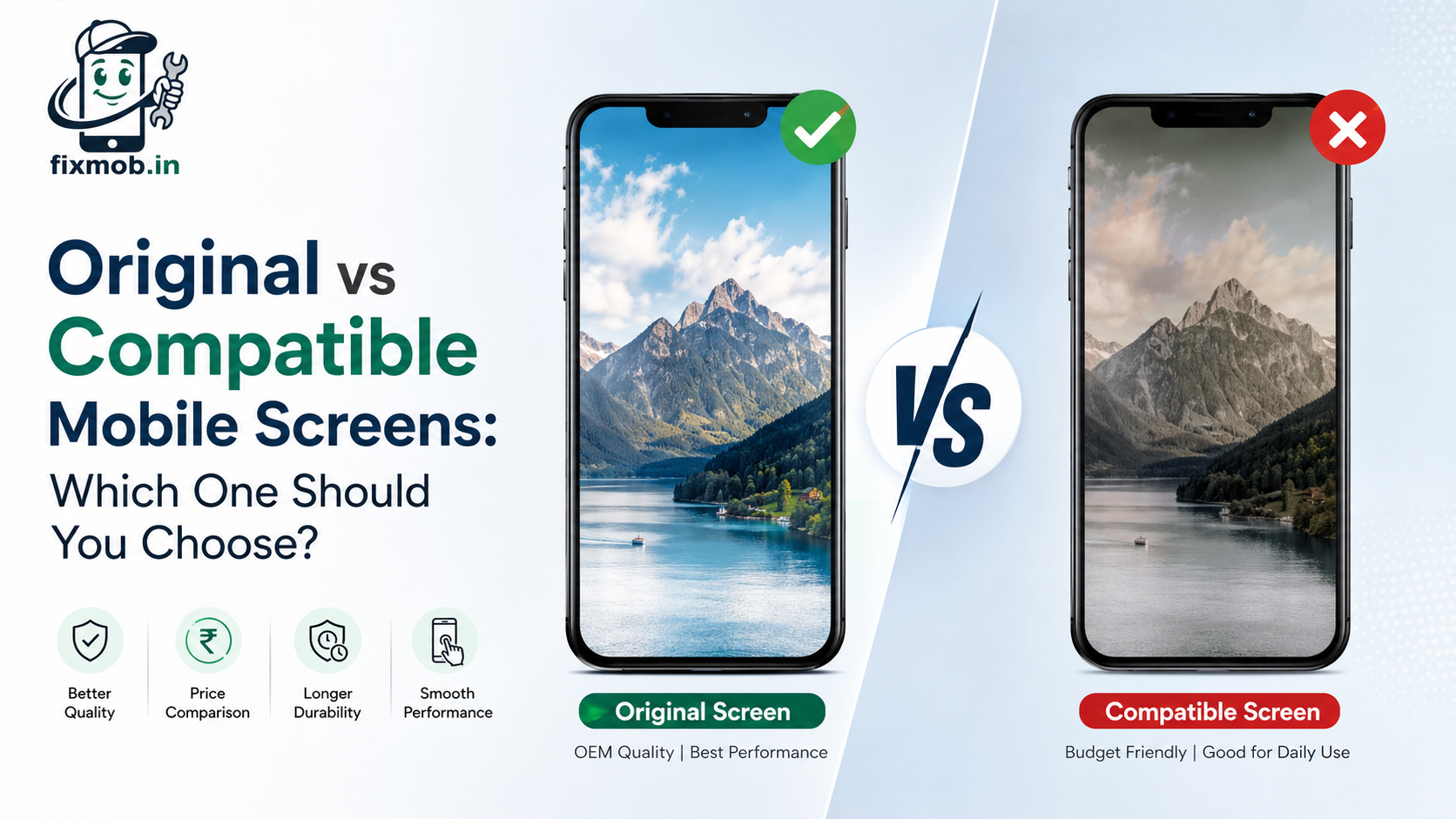
An original screen, often called an OEM phone screen, matches the exact specification of the display your phone shipped with. It is the closest you can get to a brand-new device.
Key benefits include:
• Sharp, true-to-life colours with deep contrast
• Fast and accurate touch with no lag
• High brightness that stays readable outdoors
• Longer lifespan thanks to stronger build quality
The trade-off is a higher price, and some older models are harder to source. If you want top performance and plan to keep your phone for years, original is the safer bet.
What Is a Compatible Screen?
A compatible screen, also sold as a compatible display, is made by a third-party manufacturer to fit your exact phone model. Modern versions handle everyday tasks well, from calls and browsing to social media and streaming.
The big advantage is a lower price. That makes it a smart pick for older phones, backup devices, or anyone on a budget.
Keep in mind that brightness may be slightly lower, colour accuracy can vary between units, and durability may not fully match an original panel.
Original vs Compatible: Quick Comparison
|
Feature |
Original Screen |
Compatible Screen |
|
Display quality |
Excellent colour and contrast |
Good for daily use |
|
Touch response |
Smoothest and most accurate |
Smooth for everyday tasks |
|
Brightness |
Best, readable in sunlight |
Slightly lower |
|
Durability |
Longer lasting |
Shorter on average |
|
Price |
Higher |
Budget friendly |
|
Best for |
Long-term use and heavy users |
Older or spare phones |
How to Choose the Right Screen
The best screen depends on how you use your phone, not just the price. A quick checklist makes the decision easier:
• Heavy gaming, photos, or video: choose original for better colour and touch
• Old phone or a spare device: compatible keeps the cost low
• Lowest repair cost right now: compatible fits your budget
• Planning to resell soon: original protects resale value
When you are unsure, a good technician will weigh your model, budget, and daily usage before recommending an option.
How to Spot a Low-Quality Screen
Not every third-party panel is worth buying, so watch for these warning signs after a repair.
• Colours look washed out, too warm, or too cold
• The display feels dim even at full brightness
• Touch feels slow or misses light taps
• Ghost touches happen when you are not touching the screen
Any one of these signs usually points to a low-grade panel. A trusted repair shop avoids these panels and stands behind the parts it fits.
Common Myths About Compatible Screens
A few myths make this choice harder than it needs to be. Some people believe compatible screens always look bad, but many perform well for daily use.
Others assume original screens never fail, when in truth any panel can break if handled roughly. It is also a myth that compatible means fake, since it simply means the screen is made by a third party to fit your model.
Knowing these facts helps you choose based on real value rather than fear.
Questions to Ask Before a Screen Repair
A few simple questions protect you from a bad repair. Check if the display is original or compatible, and how much the two differ in cost.
Also check if the screen comes with a warranty and how long the repair will take. Good technicians answer these clearly and never dodge the details.
Protecting Your New Screen
A little care protects your investment, whichever option you choose. A good tempered glass protector and a case with raised edges absorb most everyday knocks.
Keeping keys and coins in a separate pocket prevents scratches. If you ever notice touch issues or dimming after a repair, have it checked early before the problem spreads.
Frequently Asked Questions
1. Is a compatible screen safe to use?
A well-made compatible panel is perfectly safe and dependable for daily use.
2. Does a compatible screen change how touch feels?
Good ones feel smooth, though the best response still comes from original panels.
3. Do original screens come with a warranty?
At FixMob, quality replacements are backed by a warranty for your peace of mind.
4. Can I switch from compatible to original later?
Yes, you can replace the screen again if you want higher quality down the line.
5. Which screen is better for resale value?
An original screen keeps the phone closer to factory condition, which buyers prefer.
6. How long does a screen replacement take?
Most screen replacements are completed the same day.
Get Honest Advice From FixMob
Still torn between original vs compatible mobile screens? If you need screen repair in Bangalore, our technicians guide you honestly and fit the right display at your doorstep.
Take a look at our repair services, book a repair that comes with free doorstep pickup, or contact us if you have any questions.